
How to Search the Bishop Court Docket
Bishop offers no online docket-search form. Your first job is to confirm the paperwork actually names Bishop Municipal Court. The city's official web presence is a Go2Gov payment center, not a case index. For any docket entry, setting, disposition, or copy, call the court at (361) 584-2567. Have the citation number and defendant name ready. Give the offense date, appearance date, and the record you want when you dial.
- Read the court and issuing agency on the citation. Do not route a Justice Court case to Bishop by city name alone.
- Call the official Bishop number for municipal docket information. State the exact citation number and record needed.
- Confirm the charge, status, appearance date, setting type, balance, and copy method with court staff.
- Use the county portal only when the papers name a Nueces County trial court or Justice Court.
- Verify all dates and payment effects before submitting money or appearing.
The payment center lists the city's address as 203 E Main, Bishop, Texas 78343. Ask the clerk whether a counter visit or mailed request works best. The city publishes nothing about email access, public terminals, document images, or a historical index for its municipal records.
Bishop Court Payment Center
The official Bishop Go2Gov landing page shows four payment categories. These are Airport, Meter Deposit, Municipal Court, and Utility. The Municipal Court tile is the one that leads toward paying a fine. A related cashier page offers a "Select Payment Type" control. Neither screen lets you search by party name, citation number, or docket history.
Treat Go2Gov strictly as a payment tool. Use it only after the Bishop court confirms what you owe. Clicking a payment category is not a court docket search. A submit button does not display the case record. Before you pay, ask the court to verify the citation. Confirm the amount and the due date too. Ask how payment affects your plea, and whether another option is still on the table.
The Bishop Municipal Court
Bishop Municipal Court handles city citations and ordinance matters within its authority. It stands apart from other courts. Those include the Nueces County Justice Courts, County Courts at Law, District Courts, and the federal court. The court name printed on your papers controls where you search. A Bishop address alone does not settle it. An offense inside city limits does not, by itself, mean the city court holds the file.
The city posts no municipal-court information page beyond the payment center. It names no judges. It publishes no docket days or public calendar. It lists no case-result fields, retention periods, document prices, or pagination. Call the city instead of guessing. The official Bishop payment-center page is the city's own record of its payment setup.
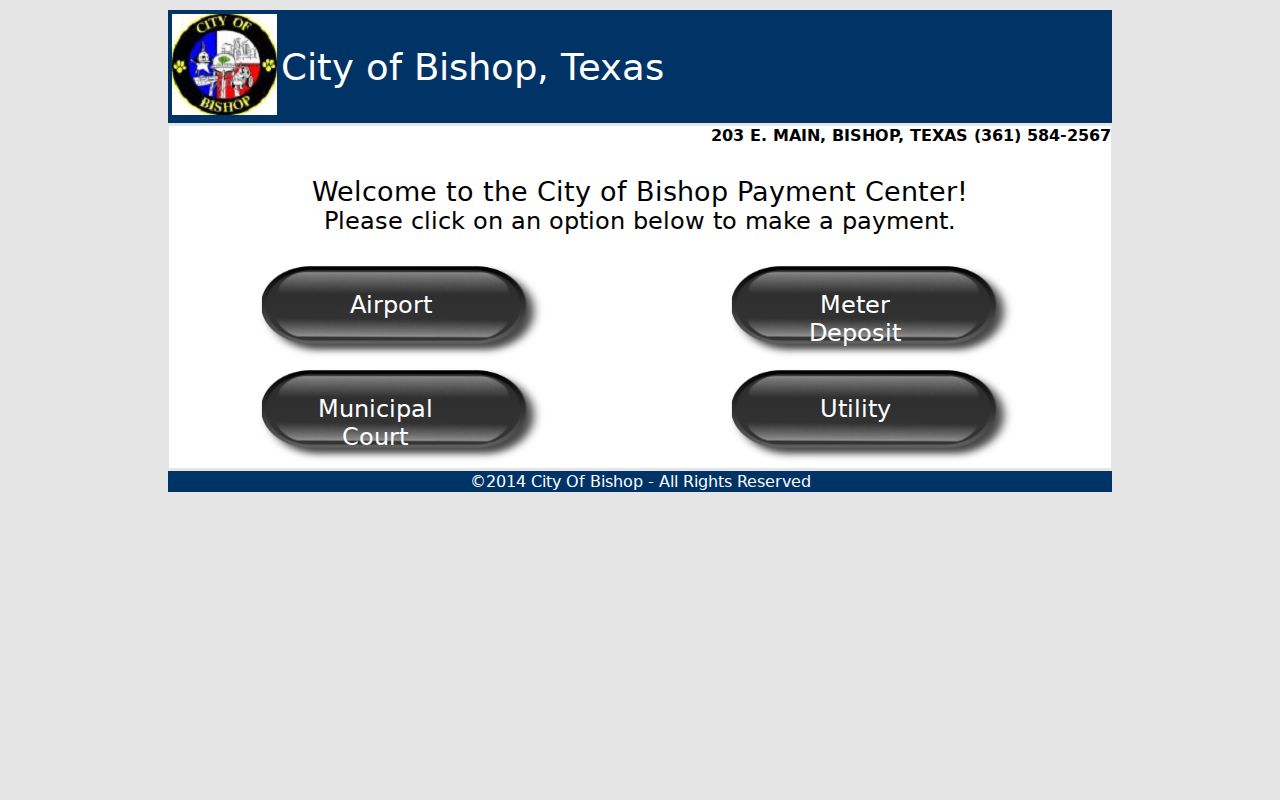
That page confirms the Municipal Court payment category and the court's contact information. It does not contain a Bishop court docket search form.
Bishop Payment Is Not Docket Search
A payment service moves your money. A case lookup tells you which court holds the case, its status, the events filed, the settings, and the disposition. Bishop's online route covers only the first task. It should never be mistaken for the second.
| Payment Center | Court Docket Request |
|---|---|
| Selects a payment category | Identifies the court and case |
| May accept transaction data | Asks for a setting, status, or record |
| Does not prove case coverage | Must be confirmed by the Bishop court |
Never type account or personal details just to test whether a case appears. Call first, then use the link court staff identify for the transaction you actually need.
Bishop Court Dates and Settings
The appearance date printed on a Bishop citation is the first thing to verify. The city posts no public calendar. Call the court to learn whether that date is a deadline or a scheduled hearing. Ask for the current date, time, location, setting type, and any instructions. A payment screen cannot confirm any of that.
| Date | The appearance date or later Bishop setting confirmed by the court. |
|---|---|
| Time | The current start or appearance time supplied by court staff. |
| Courtroom | The location the Bishop court gives for the proceeding. |
| Judge | The presiding judicial officer, not verified through the payment page. |
| Setting Type | The stated purpose, such as appearance, pretrial, trial, or compliance. |
If a date moves, request written notice or a confirmation number. A reset changes the setting; it does not dismiss the case. Represented parties should also check with their attorney.
Bishop Docket Check Before Payment
Paying online can carry legal effects no blank cashier page explains. Before using the Bishop payment center, confirm the exact citation, current balance, and due date. Ask whether payment enters a plea or a judgment. Contesting, an extension, a deferral, or a course option may require a different step first. Ask before you act.
Pause before paying. A verified payment route is not proof that every municipal case is eligible or that payment preserves every choice.
Keep the receipt and any confirmation code. Check the Bishop court docket afterward for the recorded result. A receipt is not a certified disposition.
Bishop Traffic Tickets
A Bishop municipal ticket should show its court and appearance date. Use those details when you call (361) 584-2567. Ask for the docket status, setting, violation, amount, and your response choices. Expect no online citation lookup. The official Go2Gov page lists payment categories rather than a search inventory.
A county or state officer may write a ticket. It can land in a Justice Court instead of Bishop Municipal Court. Follow the court name on the paper. The Nueces County traffic court records page sorts out the wider split between municipal and JP files. It keeps the Bishop citation route distinct.
Bishop Court Phone and Counter
The official Bishop source lists 203 E Main and (361) 584-2567. Call before you visit. Ask about public hours, the court counter, accepted request methods, identification needs, fees, and whether a record can be mailed. The city page itself confirms none of these details.
Bishop Municipal Court Contact
203 E Main, Bishop, TX 78343
(361) 584-2567
Confirm docket access and payment instructions before submitting a transaction.
Ask for an existing record, not an explanation of why the court acted. Staff can describe the process, but they cannot give legal advice.
Bishop Court Technology Limits
Go2Gov lets Bishop handle payments online. That is where the service ends. The tile on the screen says Municipal Court. Yet it will not show a docket, an appearance date, or a copy of a document. For any of those, the phone is still the tool.
Treat the portal as a payment counter and nothing more. It posts no search fields, no fee schedule for lookups, and no case history. If Bishop ever adds a public docket interface, check its rules before relying on it.
One case can split across several channels in a small city like Bishop. You might pay a fine online. Then call the court for the setting or the record. So tell staff exactly what you want. Say pay, contest, confirm a date, inspect an entry, or order a copy. Clear requests get clear answers.
Where Bishop Cases End Up
Bishop Municipal Court handles only the city cases within its authority. A Justice Court takes assigned traffic, Class C, small-claim, and eviction matters. County misdemeanors, felonies, family cases, and larger civil suits belong to Nueces County trial courts. Follow the court label and the case type. They point to the right office. The city name alone does not.
Docket flow: Bishop Municipal Court › Nueces County Courts › District Court
Bishop staff may say a matter is not municipal. Before searching again, get the named JP or county court. The Nueces County court docket overview explains those county routes.
Bishop Court Access Context
The 2020 Census counted 3,174 Bishop residents. Population helps you picture the town, but it says nothing about municipal filing volume. There is no published Bishop caseload. So no docket count or wait-time estimate can be drawn from the number.
The defining access fact is simple. Bishop has an official payment center and no public case search. A phone call closes that gap without pretending an online feature exists.
Separate your requests when you call. The next setting is a future calendar event. A disposition is the court's recorded resolution. A payment balance is a third item, and it can shift after court action. Naming the item gets the right public information from staff.
Scale is no excuse for borrowing a nearby city's portal. Corpus Christi and Port Aransas run their own municipal systems. Their tools prove nothing about Bishop. The Bishop phone number and the official city payment page remain the verified local starting points.
Bishop Court Docket Request
A precise request works best when no public search interface exists. Start with the exact citation or cause number. Add the defendant name and the issuing agency. Include the offense date, appearance date, and the court printed on the citation. Then name one item: current setting, docket history, disposition, payment balance, certified copy, or another record. Never send Social Security numbers, full driver-license numbers, or account data. That stands unless the court requires a secure method.
Ask the Bishop clerk how the answer will arrive. Will it come by phone, at the counter, by mail, or another way? Get the current fee and expected timing before ordering. If the court cannot find the matter, check another office. See whether a Nueces County Justice Court is listed instead. A city location alone does not establish municipal jurisdiction.
Write down the date, staff office, citation number, and answer. If a setting is urgent, repeat the date and time back to the clerk. Ask whether written notice exists. Questions about the legal effect of payment, a plea, or a contest belong with a licensed Texas attorney. Bishop staff can explain administrative choices but cannot pick a legal strategy.
Keep every Bishop court response with the citation. A clear trail shows which date, amount, and request method the clerk confirmed. It also keeps a Bishop municipal answer separate from a county or Justice Court response.
Public Access to Bishop Court Records
Ask Bishop Municipal Court for the public case records. Tie the request to a citation or cause number. Name the exact item needed. It might be docket history, disposition, setting notice, or a non-restricted filing. Say whether you want inspection, an electronic copy, paper copy, or certified copy. Ask for a fee estimate and delivery method first.
Key Rules:
Texas judicial open-records policy explains that adjudicative court records do not use one universal Public Information Act route.
Rule 12 of the Rules of Judicial Administration covers certain judicial records other than case records and states exceptions.
Texas Rule of Civil Procedure 21c addresses sensitive data and redaction in filings.
Restricted records: sealed, juvenile, expunged, confidential family, financial, medical, and identifying material may be withheld or redacted. A public payment page does not expand access, and restricted material may require court approval.